
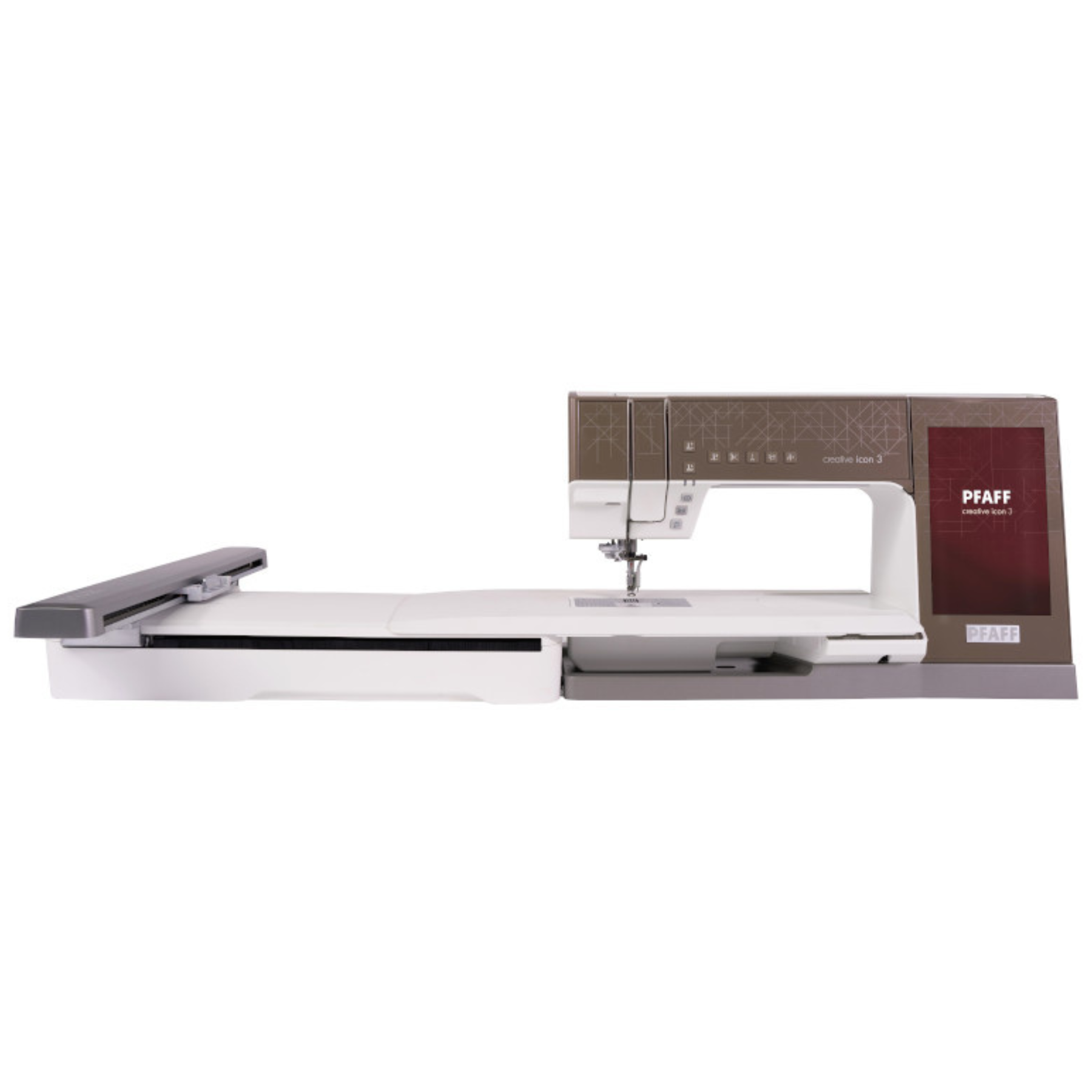
Your needs, this model
Does it fit your priorities?
Can one machine sew ordinary seams and embroider a large design sent from a phone or tablet?
Yes, but the 450 × 450 mm maximum is only with the optional Grand Turnable Hoop; the four hoops listed in the standard package are smaller, and the two jobs use separate setups.
Explore this need in the finder →Can I sew without a pedal and keep the pace limited while still having a wide stitch menu?
Yes. In the sewing-mode arrangement with the embroidery unit removed, the guide describes Start/Stop button operation, a separate speed slider and up to 9 mm stitch width; this remains mains-powered.
Explore this need in the finder →Will this model sew a cut-and-overlock seam like a serger?
No. It is a computerized lockstitch sewing-and-embroidery combination; neither the exact product page nor the guide documents an overlock/serger operating plan.
Explore this need in the finder →Can I require automatic cutting for fine thread in embroidery?
No source confirms an automatic-cutting thread-size limit for threads finer than size 30, so that requirement is not established.
Explore this need in the finder →The PFAFF creative icon 3 is a computerized sewing-and-embroidery combination for someone who expects to use both functions. Its clearest practical distinction is the combination of a 310 mm sewing space to the right of the needle, integrated IDT feeding, a large touch screen, and an embroidery system with a manufacturer-stated 450 × 450 mm maximum when the optional Grand Turnable Hoop is fitted. That last number is not a standard-package promise: four smaller hoops are listed as included, and the Grand Turnable Hoop is an extra.
Choose a machine for two different routines
For regular sewing, the manual describes a computerized machine with a maximum sewing speed of 1,050 stitches per minute, a speed slider, Start/Stop operation, a knee lift, adjustable presser-foot pressure, and a maximum stitch width of 9 mm. The stated 310 mm from needle to tower gives room for larger quilts or home-decor panels; it does not make the machine a longarm. Its integrated IDT system feeds fabric from above as well as below, but you still need to choose a suitable foot, needle and stitch for each material and test a layered sample.
The buttonhole options are more useful than a bare stitch-count claim. The guide separates a Sensormatic automatic buttonhole routine using the 5A foot from manual buttonholes using the 5M foot. Stabilize the area and sew a test on similar fabric before cutting into a garment. The included automatic cutter is also configurable: the guide describes pressing the cut button or programming a cut at the end of a stitch or sequence. Do not read that as a promise that every seam is automatically trimmed by default, and no exact fine-thread cutting limit is confirmed here.
Plan hoop size around the actual project
The product page states a maximum embroidery area of 450 × 450 mm only with the optional creative Grand Turnable Hoop. The listed standard package instead names four hoops: Superior 465 × 260 mm, Deluxe II 360 × 200 mm, Master II 240 × 150 mm and 120 Square II 120 × 120 mm. Those are hoop names/dimensions; the page does not give one guaranteed stitchable layout for every included hoop. Treat the 450 × 450 mm figure as a separate setup that requires buying the optional hoop, and confirm the position/turning steps for a specific design before planning a single uninterrupted motif.
There is also a separate free-arm embroidery capability for tubular items such as sleeves, bags and pillowcases. That is a different arrangement from a large flat hoop, and the exact U.S. standard package list does not identify a free-arm hoop among the four included hoops. Check the exact accessory and dealer box if free-arm embroidery is the reason you are choosing the machine. In embroidery mode, install and calibrate the embroidery unit, use the hoop shown on the screen, select suitable stabilizer and needle, and leave room for the moving arm. The guide recommends a flat, sturdy surface and additional clearance behind the machine for larger hoops.
Connected tools help, but add dependencies
The screen accesses PFAFF's CREATIVATE catalog, and the manufacturer describes wireless design transfer between CREATIVATE-enabled devices, live embroidery updates and the app's Design Placement tools. This does not establish compatibility with every third-party format or library. If you already own designs, confirm the exact file route, app/device pairing, account requirements and current service terms. Cloud features still depend on working Wi-Fi.
The product page lists more than 870 stitches and more than 920 built-in embroidery designs, rather than exact totals. The 10.1-inch screen, sewing-mode Stitch Creator, and embroidery edit/stitch-out tools provide a broad set of controls to learn. If you mainly need simple seams and rarely embroider, a sewing-only machine may fit better.
Check size, box contents and care before choosing
The manual lists the sewing machine at about 16 kg and the embroidery unit at about 8 kg. This is a setup for a stable table and a designated sewing area, not something to move casually between rooms with the embroidery unit attached. The official product page lists 34 accessories, including the embroidery unit, the four named hoops, foot control, 5A and 5M buttonhole feet, multiple sewing feet, nine bobbins and a carrying case. It separately presents the Grand Turnable Hoop and icon quilting table as accessories. A listing image that shows an extended work surface is not proof that every pictured extra is included; ask the seller to confirm the exact U.S. box contents.
Routine care is relatively clear in the model-specific guide: no lubrication is needed. Wipe the outside with a soft cloth, use a slightly damp microfiber cloth for the screen, switch off before cleaning the needle/bobbin area, and brush lint from the feed teeth and bobbin area. The manual says not to blow air into the bobbin case because lint can be pushed farther into the machine. It recommends cleaning after several projects or when lint accumulates and having the machine serviced by an authorized retailer.
Who should shortlist it?
Shortlist the creative icon 3 if you will use both computerized sewing and hoop embroidery, appreciate connected design tools, and have space for a substantial machine. Its value depends on actually using the embroidery unit and the appropriate hoop. If you need a cut-and-overlock serger, coverstitch hemmer, dedicated longarm, or light machine to pack away after every project, it does not satisfy that essential task. For a more compact combo, compare the bernette 59 assessment; if embroidery is rare, consider sewing-only models.
Sources: the exact U.S. product page, official feature page, and 2026 U.S. English user guide 4711873-26B. Reviewed October 24, 2026; this is not a hands-on test.
Key details at a glance
| Motor and stitch controls | Computerized sewing selection and editing on a 10.1-inch touch screen. The user guide documents a maximum-sewing-speed slider and separate Start/Stop-button operation with the foot control disconnected; the machine remains mains-powered. |
|---|---|
| Stitch choices and limits | The exact U.S. product page says over 870 stitches, over 920 built-in embroidery designs, 9 mm maximum stitch width and 310 mm (12.1 inches) of sewing space to the right of the needle. Counts are manufacturer lower-bound wording, not exact totals; individual stitch/needle combinations can have narrower limits. |
| Buttonhole routine | The 2026 user guide distinguishes an automatic Sensormatic buttonhole setup with the 5A foot from manual buttonholes using the 5M foot. It recommends stabilizing the fabric and sewing a test buttonhole; no exact repertoire count is asserted. |
| Working space and size limits | The exact U.S. product page gives 310 mm to the right of the needle. The user guide gives body width 602 mm (about 23.7 inches), machine-only weight about 16 kg and embroidery-unit weight about 8 kg. A 450 × 450 mm maximum embroidery area requires an optional Grand Turnable Hoop. The 465 × 260 mm name of the largest listed standard hoop is its named hoop size, not a verified stitchable layout. |
| Supplied tools and fabric support | The U.S. product page identifies 34 included accessories and lists the embroidery unit and four hoops: Superior 465 × 260, Deluxe II 360 × 200, Master II 240 × 150, and 120 Square II 120 × 120 mm. It also lists the foot control, 5A Sensormatic and 5M manual buttonhole feet, 9 bobbins and sewing/embroidery feet. The optional Grand Turnable Hoop and a Quilt Table for icon machines are not listed as standard inclusions. The package list does not identify a walking foot; the integrated IDT system is a different mechanism. Confirm the exact retailer box. |
| Needle setups, cutting and memory | Sewing and embroidery are separate arrangements. Remove the embroidery unit for regular sewing/free-arm sewing; attach and calibrate the unit for hoop work. The machine supports free-arm embroidery, but the standard-package list does not include the optional Grand Turnable Hoop that enables the stated 450 × 450 mm maximum. PFAFF's exact U.S. feature page describes wireless CREATIVATE-enabled design transfer; no universal third-party file-format guarantee is inferred. |
| Presser-foot pressure | The manual's sewing controls let the user increase or decrease presser-foot pressure, separately from thread metering/tension. |
| Cleaning and lubrication | The 2026 user guide says no lubrication is needed. Wipe the exterior with a soft cloth and the screen with a slightly damp microfiber cloth. Turn the machine off before removing the needle plate; brush lint from the feed teeth and bobbin area, use caution by the automatic cutter, and do not blow air into the bobbin area. Clean after several projects or whenever lint builds up, and have the machine serviced regularly by an authorized retailer. |
Use the exact model’s instructions for operating limits, supplied equipment and version differences.
Sources for this assessment
- Exact current U.S. PFAFF creative icon 3 product page, SKU 850402112
- PFAFF creative icon 3 English user guide, United States, 2026, document 4711873-26B
- Official North America PFAFF creative icon 3 feature page (current availability copy)
- Previously archived current U.S. All PFAFF Machines directory; exact creative icon 3 row and handle were individually confirmed
- Exact official PFAFF creative icon 3 product-page image

Choose the operating routine that suits your work.
Start with whether you sew, embroider, serge or coverstitch, then compare controls, working area, supplied tools and setup limits.