
Your needs, this model
Does it fit your priorities?
Can I embroider designs up to the listed 260 × 200 mm maximum with the included unit and hoops?
Yes in the standard hoop embroidery plans. The model page states 260 × 200 mm and the included list names the 120 Square and Elite 260 × 200 mm hoops.
Explore this need in the finder →Can I require wireless app-to-machine embroidery transfer on this exact creative 3.0?
No. The U.S. product comparison says mySewnet Wi-Fi is not provided; its USB embroidery stick is a separate transfer route whose file compatibility should be checked.
Explore this need in the finder →Can I use IDT, 9 mm stitch width and pedal-free computerized sewing in a 250 mm domestic opening?
Yes. The exact product page lists IDT, 9 mm width and 250 mm space; the model guide identifies the Start/Stop button and speed control.
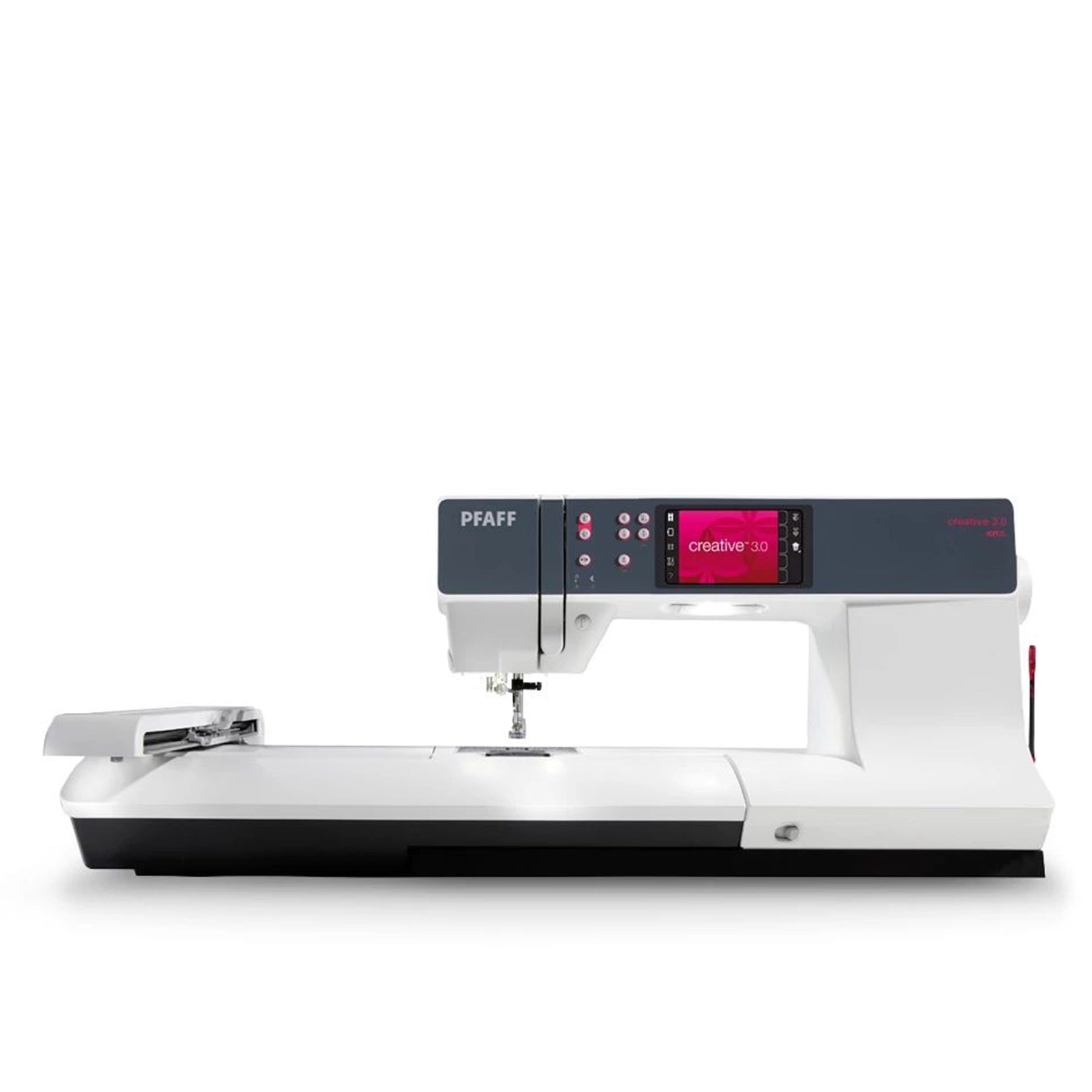
Explore this need in the finder →The PFAFF creative 3.0 is a computerized sewing-and-embroidery combination with a 250 mm needle-to-tower space, Original IDT, a 3.5-inch color touch screen, and a smaller included embroidery setup than the large-screen icon models. Its product page lists 254 stitches, 157 built-in embroidery designs, two embroidery fonts, and a maximum embroidery area of 260 × 200 mm. This is a useful distinction from the similarly named creative icon 3: the creative 3.0 is a different model, with its own screen, design library, hoops, and connectivity story.
Its sewing tools are substantial, not a longarm system
With the embroidery unit removed, the 3.0 works as a computerized, single-needle domestic sewing machine. The maker lists up to 9 mm stitch width, up to 6 mm length, four sewing fonts, a speed control, and a maximum sewing rate of 1,050 stitches per minute. Original IDT provides integrated upper and lower feed. The 250 mm opening gives more room for a quilt sandwich or a wide home-decor panel than a compact machine, but it is not a dedicated longarm. Stitch Creator can edit built-in stitches or create 9 mm designs, while the smaller 3.5-inch screen means more compact menus than the 5.7- or 10.1-inch interfaces on other models.
The exact page lists a foot control, Start/Stop, needle up/down, automatic needle threading and an automatic cutter. A separate speed limit and a Start/Stop option can suit careful piecing or decorative work, but they do not change the materials the machine can safely sew. Use a needle and foot suited to the fabric and test layers first. The manufacturer lists both a Sensormatic 5A buttonhole foot and a manual 5M foot; the actual sewn result still depends on placement, stabilization, and the selected routine.
Embroidery stays in the included, smaller-frame lane
The standard package lists an embroidery unit and two hoops: a 120 × 120 mm creative Square hoop and a 260 × 200 mm creative Elite hoop. The manufacturer's stated maximum area is 260 × 200 mm. The guide also identifies an included USB embroidery stick. That gives a tangible embroidery route without requiring a wireless app connection, although a USB stick alone does not establish compatibility with every third-party design format. Check file requirements and hoop dimensions for the motifs you plan to make; a headline maximum does not guarantee a single design fits every frame or fabric shape.
The product comparison field says the 3.0 is not mySewnet Wi-Fi powered. If wireless app-to-machine transfer is an essential requirement, do not assume the USB accessory or the embroidery screen meets it. The embroidery library is smaller than those listed for the creative icon and performance combinations, but design totals do not measure the variety you will actually use. Review the built-in designs and stitch types against your own projects rather than shopping by a count alone.
Check the name and box before ordering
Creative 3.0 and creative icon 3 sound deceptively close, but the difference is material. The icon 3 has a 10.1-inch screen, a much larger set of listed embroidery designs, and a different included hoop list; it is not a cosmetic edition of this 3.0. The creative 4.5 is another separate configuration with a larger stitch library, different screen, and three listed hoops. Confirm the model marking and exact SKU on a retailer's listing, particularly when used or dealer bundles are involved. The manufacturer's U.S. package list names the embroidery unit, 120 and 260 × 200 mm hoops, a USB embroidery stick, and presser feet, but a seller may advertise a selected bundle.
Who should shortlist it?
Consider the creative 3.0 if you want one machine for ordinary sewing and modest-size hoop embroidery, value IDT and stitch editing, and are comfortable with a smaller screen and a wired design-transfer route. It is not the right tool if your essential job is a 300 mm-plus uninterrupted embroidery layout, wireless design transfer, overlocking, or coverstitching. For more expansive connected embroidery, compare the performance 950 and creative icon 2, while checking which large hoop is actually included or optional. If you rarely embroider, a sewing-only model avoids storing an unused unit.
The manual provides care and setup instructions for this exact model; consult it before cleaning the bobbin area or changing accessories. Use the machine on a stable surface and allow the embroidery arm to travel freely when the unit is attached. This is a manufacturer-source assessment, not a hands-on durability or stitch-quality test.
Sources: the exact U.S. creative 3.0 product page, the PFAFF U.S. directory card, and the linked PFAFF creative 3.0 user guide. The product page and guide identify the 3.0 marking and separate standard hoop list. The image is the official page-linked machine image; the maker does not state photo-versus-render method. Reviewed October 26, 2026; not a hands-on test.
Key details at a glance
| Motor and stitch controls | The page lists a 3.5-inch screen, Start/Stop, a separate digital speed control and a maximum sewing speed of 1050 stitches per minute. The speed value is the published ceiling, not a recommended working rate. |
|---|---|
| Stitch choices and limits | The U.S. product specification lists 254 sewing stitches and 4 sewing fonts; the maker does not define whether pattern totals include fonts. |
| Buttonhole routine | The product page lists both a Sensormatic 5A buttonhole foot and manual 5M foot. Routine and completion behavior depend on the selected manual setup; automatic completion is not scored. |
| Working space and size limits | The exact U.S. product page states 250 mm from needle to tower. This is domestic sewing space and is not a longarm measurement. |
| Supplied tools and fabric support | The manufacturer itemized list includes the embroidery unit, creative 120 Square and Elite 260 × 200 mm hoops, USB embroidery stick, foot control and listed presser feet. |
| Needle setups, cutting and memory | The embroidery unit is a separate setup from ordinary sewing; the sewing plans below assume it is removed. A documented embroidery plan requires the unit and a compatible hoop. |
| Cleaning and lubrication | The model-specific guide has a cleaning section and instructs the user to clean the bobbin/feed area according to its directions. Use the guide and turn the machine off for maintenance. |
Use the exact model’s instructions for operating limits, supplied equipment and version differences.
Sources for this assessment

Choose the operating routine that suits your work.
Start with whether you sew, embroider, serge or coverstitch, then compare controls, working area, supplied tools and setup limits.